We store cookies on your device. Read more.

Leasing App

Your lease. Always at hand.

One mobile application where you have all your leased assets, documents, installments, deadlines, and service history - always up to date, always within reach.

In a nutshell

Leasing App in numbers

Apple and Android icons on two phone screens
2 platforms:
iOS and Android
App feature icons
47 functionalities
in one application
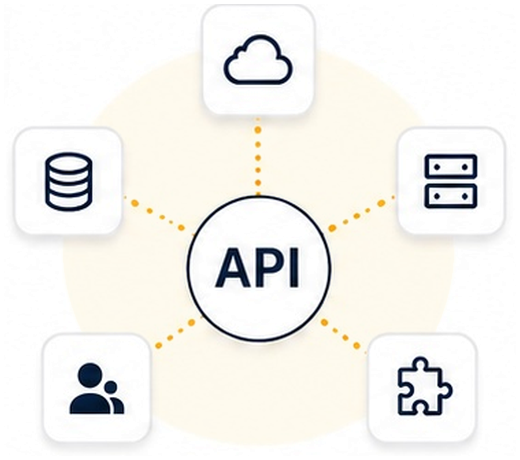
Diagram of API integrations with external systems
13+ integrations with
external systems
Project scope
  • Discovery and process analysis
  • UX/UI design
  • iOS and Android development
  • Integrations
  • Quality testing
Technologies
  • Swift
  • Kotlin
  • REST API

Client

A company with an active fleet of leased assets: vehicles, machines, IT equipment, production equipment. Several users, an accountant settling invoices, a manager supervising insurance deadlines, inspections, and installments. Documents, requests, and submissions are a constant part of the team’s daily work.

Need

Lease management is spread across multiple channels at the same time: a phone call to the account manager, an email with a document, a web portal for an invoice, another phone call for an authorization. Every matter requires separate contact, and every contact generates waiting time. The larger the fleet, the greater the scale of this problem.

Solution

In our concept, LeasingApp supports the full lifecycle of a lease agreement: ongoing administration of contracts and payments, documents and e-formalities without visiting a branch, service booking with repair status tracking, handling of road incidents and claims, decision calculators at the end of the contract, and a fleet management panel with role-based access for the driver, accountant, and manager.

Each of these areas usually operates as a separate contact channel — phone, email, portal, branch visit. LeasingApp brings them all together in one mobile application.

Project scope

We specialize in building dedicated mobile applications for the financial sector. For the LeasingApp project, we can deliver the full scope: from discovery and analysis of the lessor’s processes, through UX/UI design for complex financial flows, native iOS and Android development, and integrations with external systems, to quality testing before production deployment.

The leasing market in Poland

Illustration of a leasing market value chart
PLN 41.8 bn
market value
of movables leasing in Poland
(Jan–May 2026)
Illustration of leasing market growth
+6.2%
market growth
in the value of movables leasing
year on year (Jan–May 2026)
Pie chart of leasing's share in financing
83.9%
of the market is leasing
of external financing of movables
in Poland (Jan–May 2026)

Integrations

Type of integration Purpose
Payment gateway Online installment payment processing
E-signature Electronic signing of documents with legal effect
Lease core API Internal leasing system - contract data, calculations, credit decisions
OCR Recognition and reading of text from document photos
Assistance / roadside assistance Connection with roadside assistance services
Insurer API Claims submission and data exchange with the insurance company
Insurance aggregator Retrieving and comparing offers from multiple insurers
Chat / communication Text chat support with a consultant or bot
Accounting system / ERP Export of financial documents to the client’s accounting software
Open banking Verification of the client’s bank account number
BIK Inquiry into the client’s credit history for a new application
Service system / DMS Data exchange with the workshop - bookings, repair order statuses
Dealer / product catalog Retrieving product offers from dealers and business partners

Dashboard

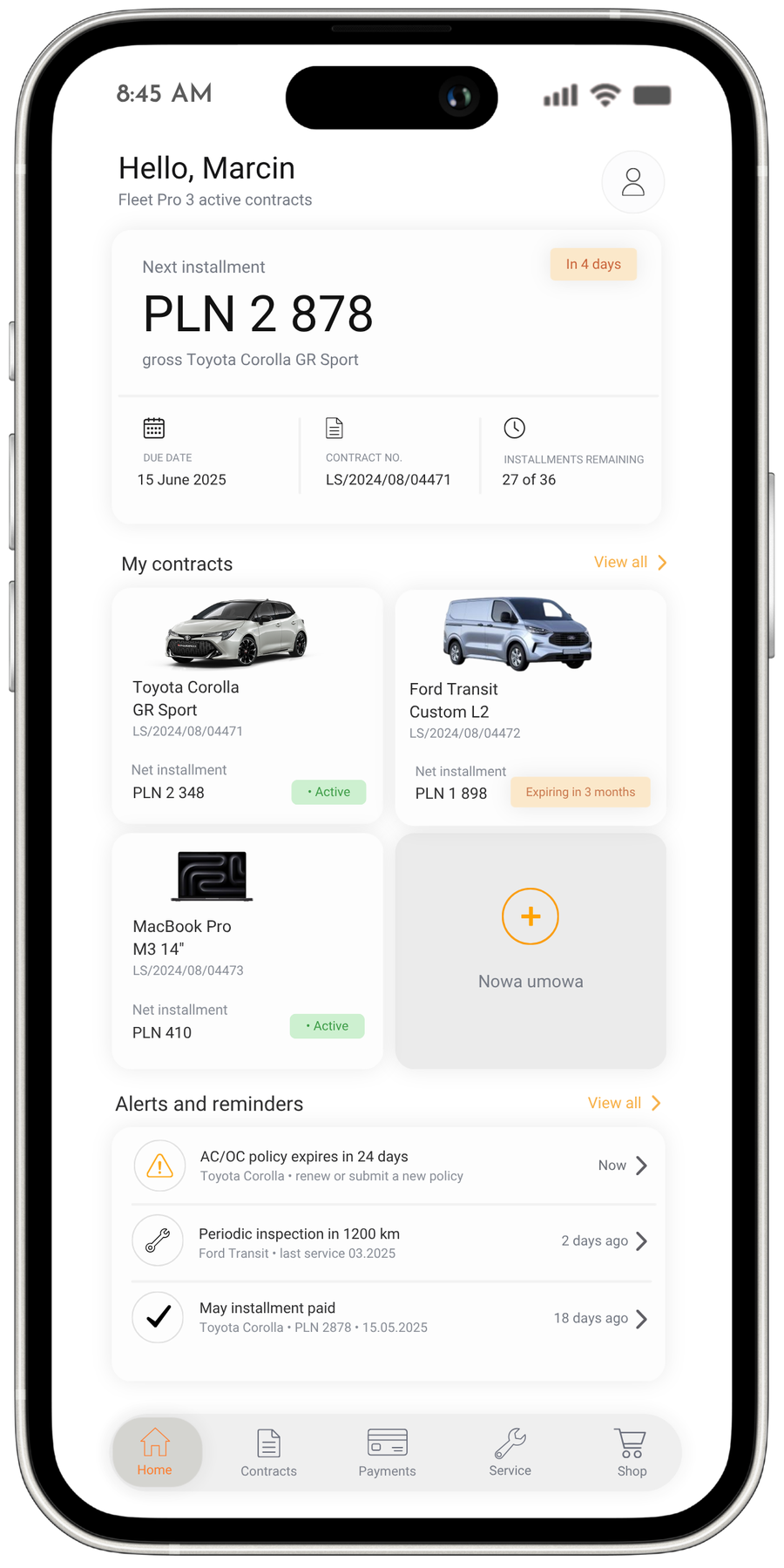
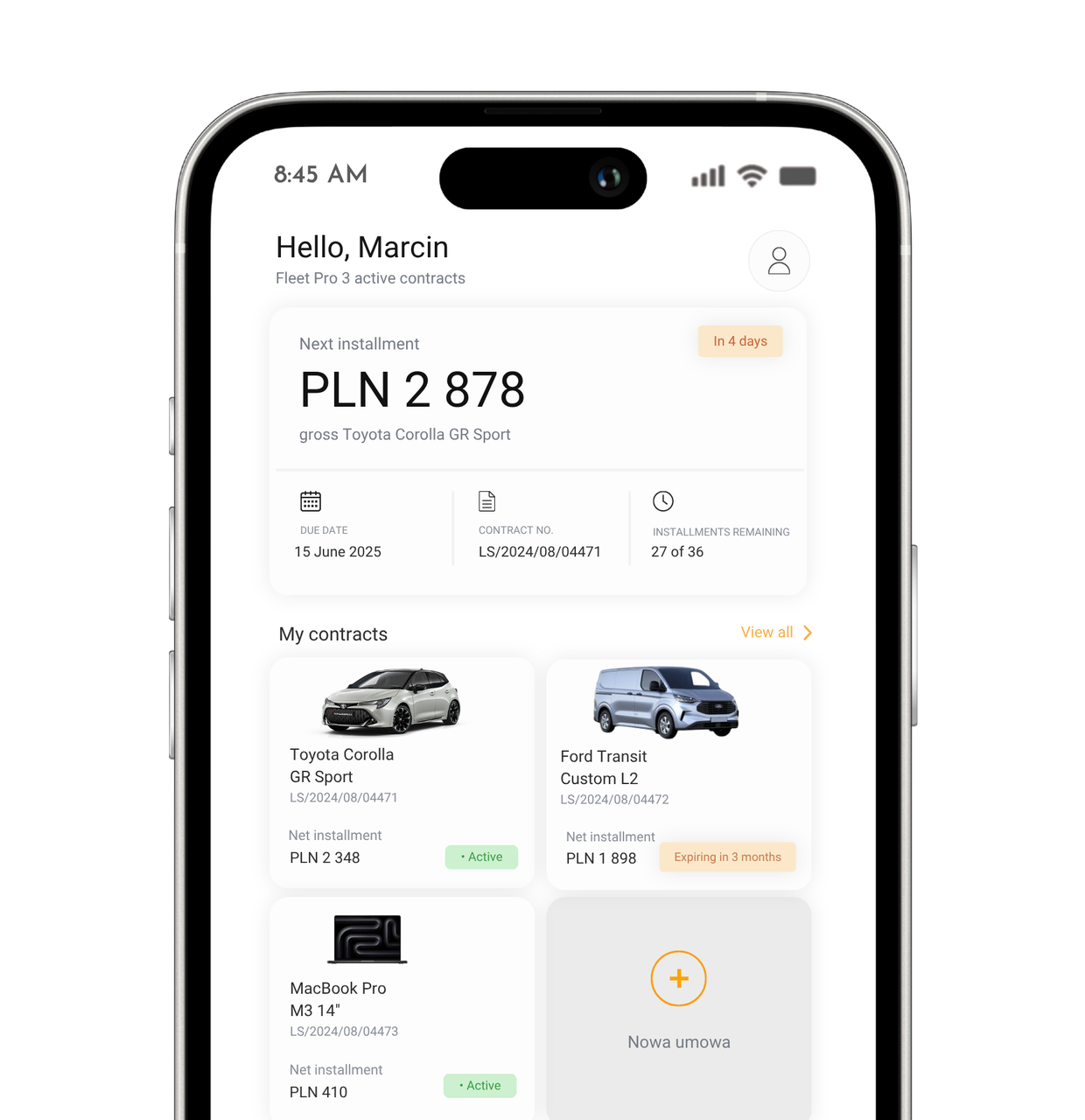
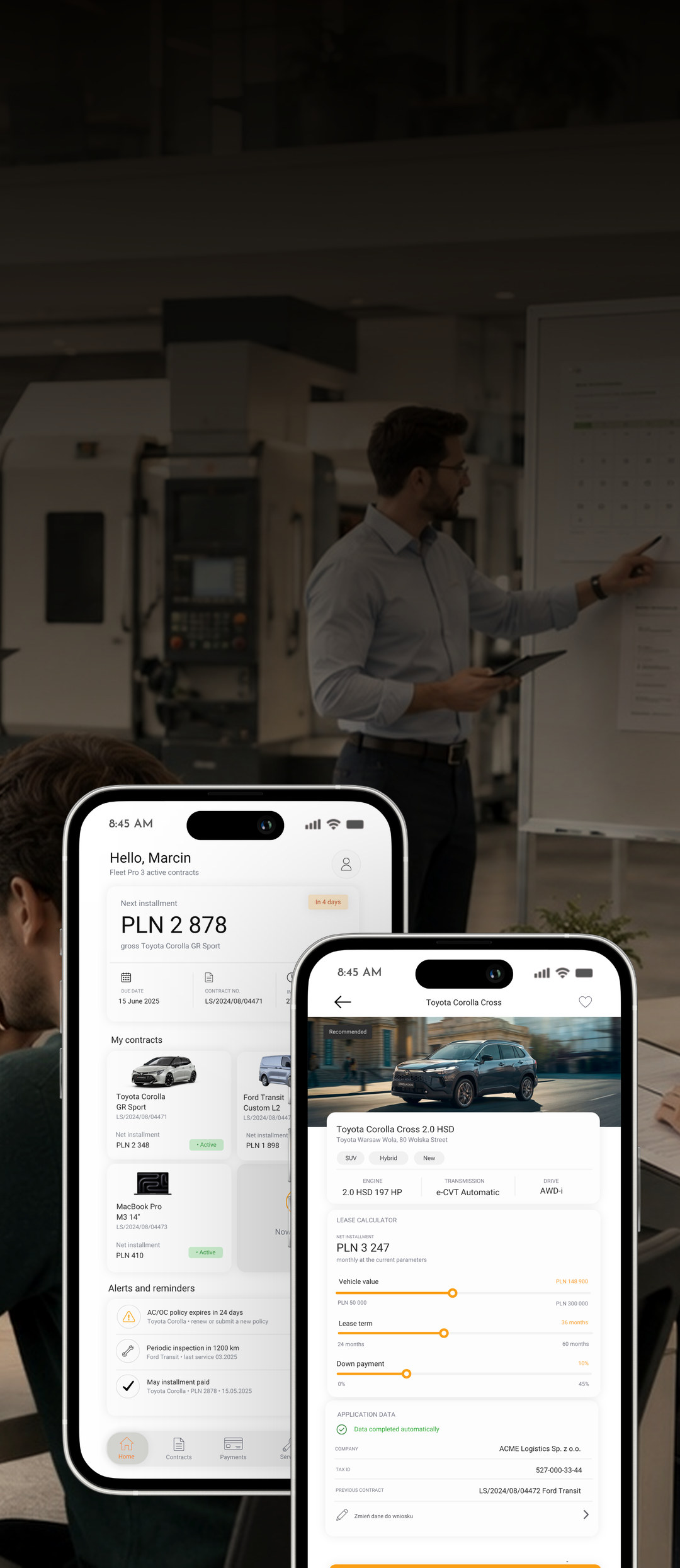
The home screen shows, in a single view, what matters most to the user: the due date and amount of the next installment, quick access to active contracts, and a list of alerts that require action. A reminder about an expiring policy, an upcoming inspection, or the need to replace tires appears in advance, with direct access to handling the matter.

A cost forecast through the end of the financing period and automatic recommendations for an expiring contract give the user financial context without the need to contact an account manager. Features like these typically translate into a higher daily active session rate in mobile applications — users are more willing to return because they get value every time they open the app.

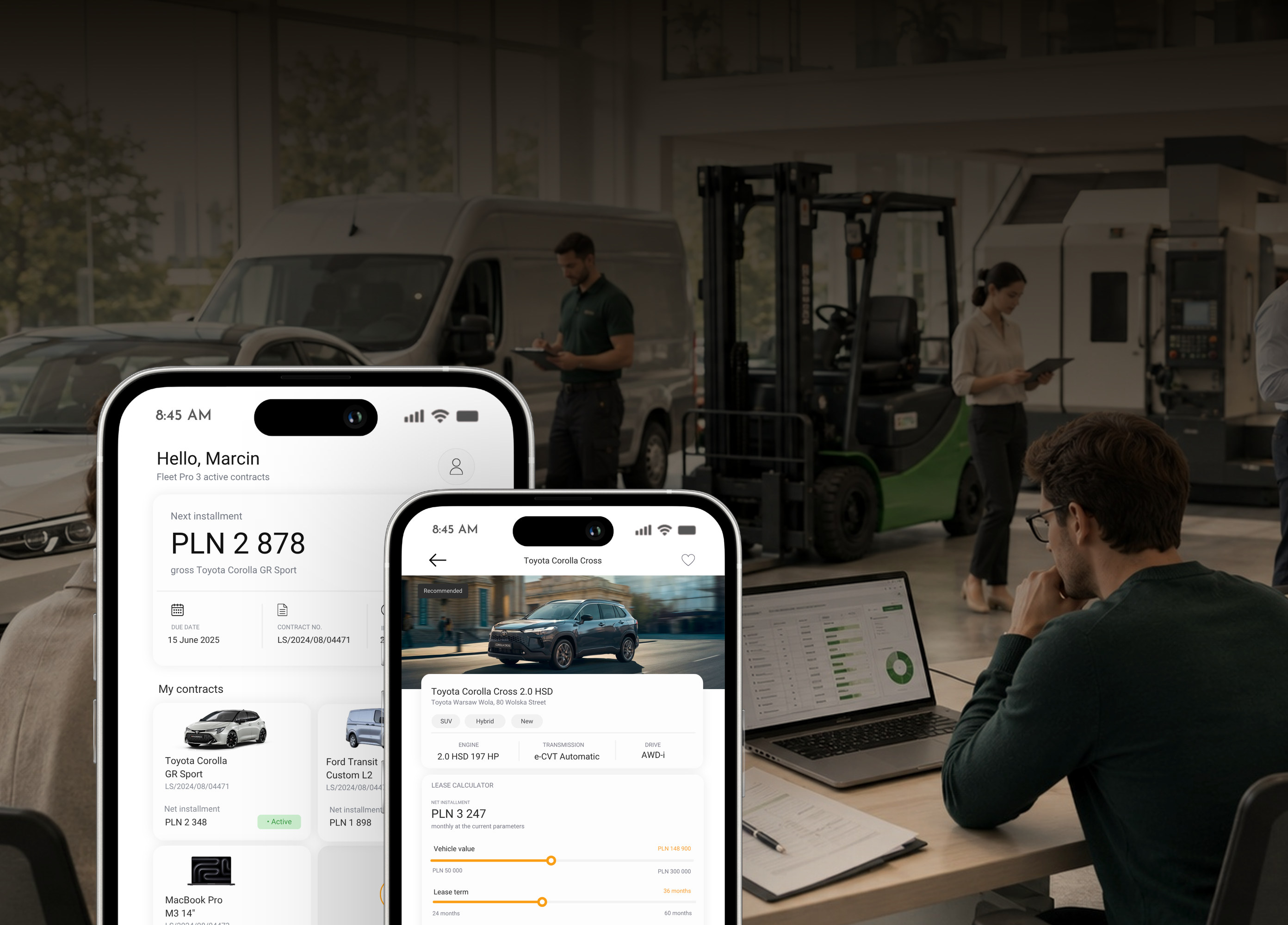
Leasing App home screen with the next installment and list of contracts

Contracts

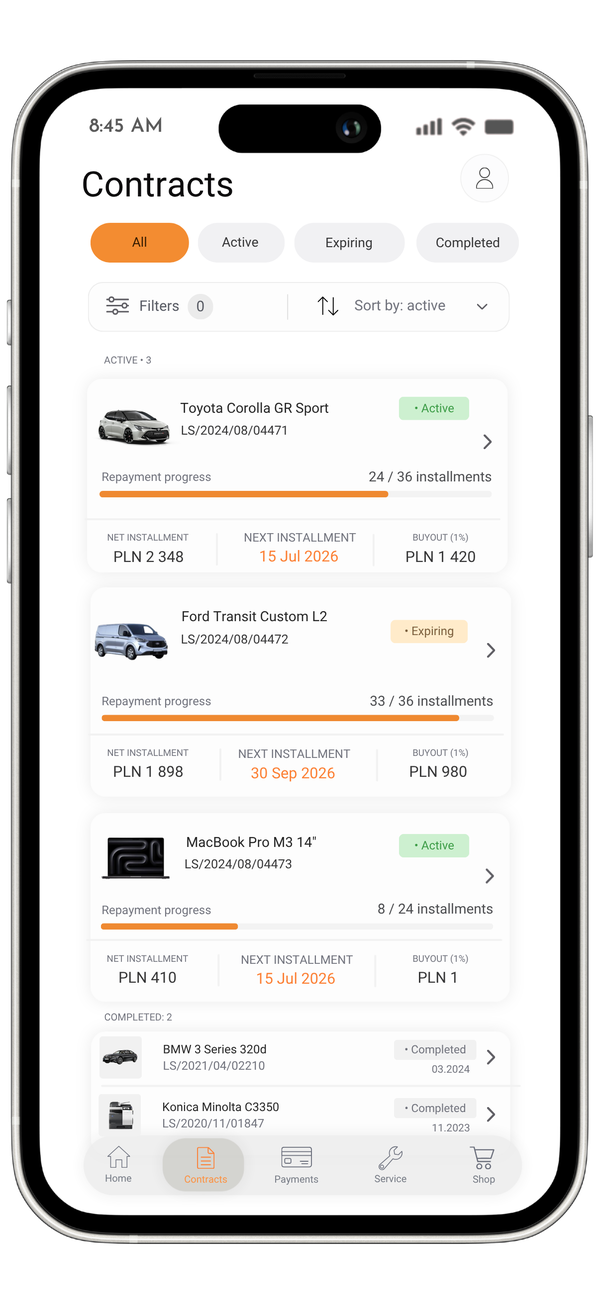
The user handles all contract-related matters from their phone, without visiting a branch. They take a photo of an invoice or registration certificate with the camera – thanks to OCR technology, the data goes into the form automatically. An electronic signature allows annexes and requests to be approved right away, and the status of submitted documents is visible in real time, without calling for updates.

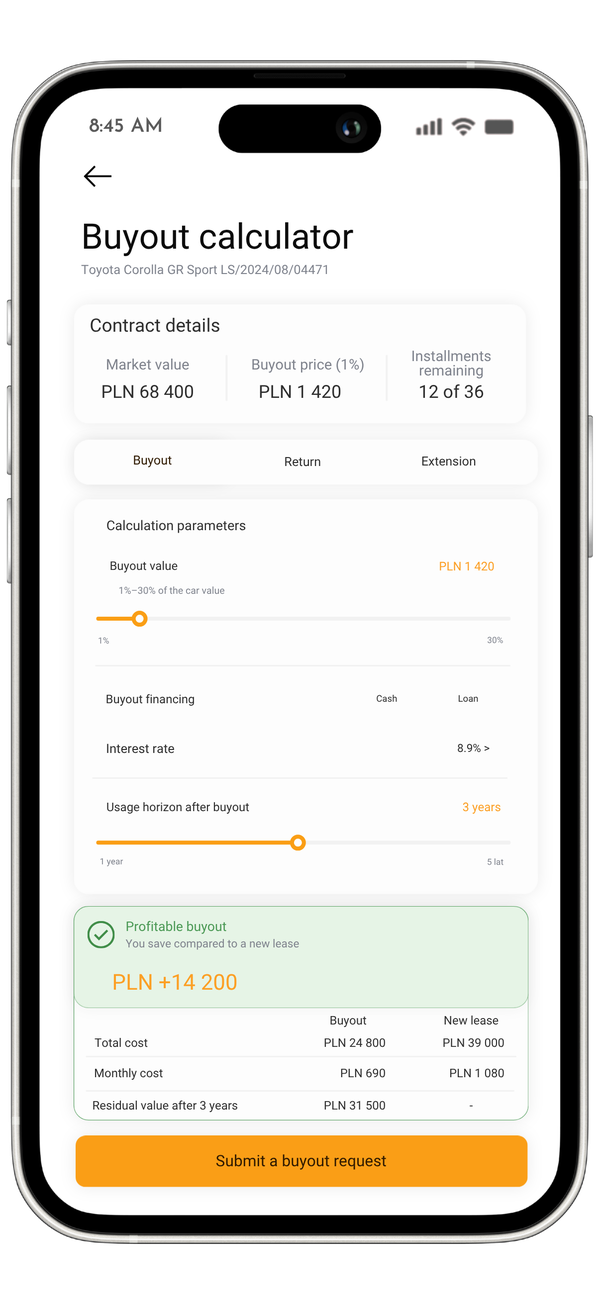
As the contract approaches its end, the built-in calculator compares three options side by side: buyout, return, and extension, calculating the actual cost of each based on the current contract terms. The TCO panel, in turn, shows the total of all costs incurred throughout the entire financing period – installments, service, and insurance.

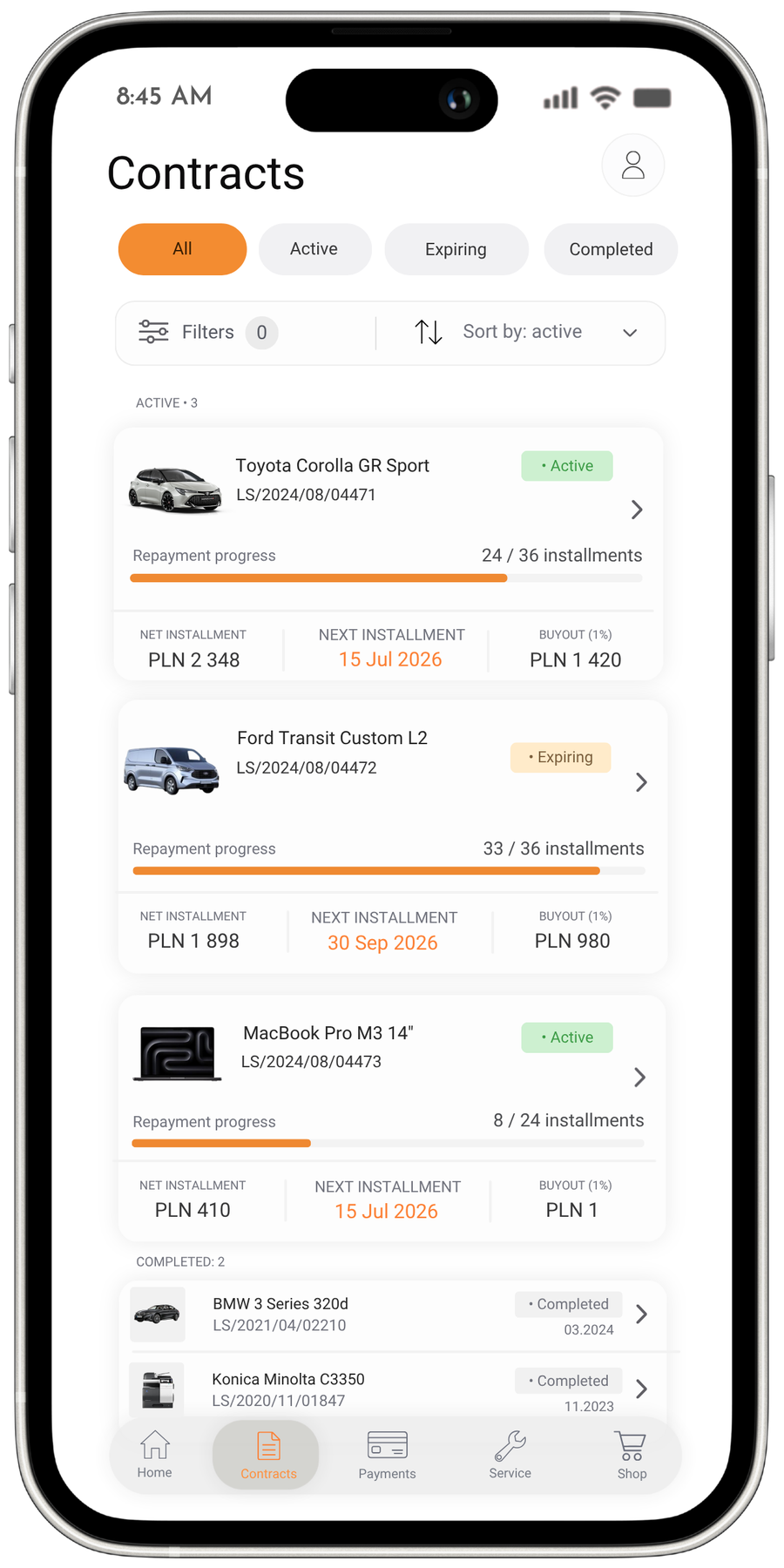
Lease contracts list screen in the app
Leased asset buyout calculator

Returning the asset also takes place without an in-person visit – the application guides the user through the condition assessment, photo documentation, signing of the handover report, and booking of the pickup appointment.

This combination of document scanning and electronic signature appears in almost every project for the financial sector, because it eliminates paper entirely without the need to rebuild the processes the lessor already has in place.

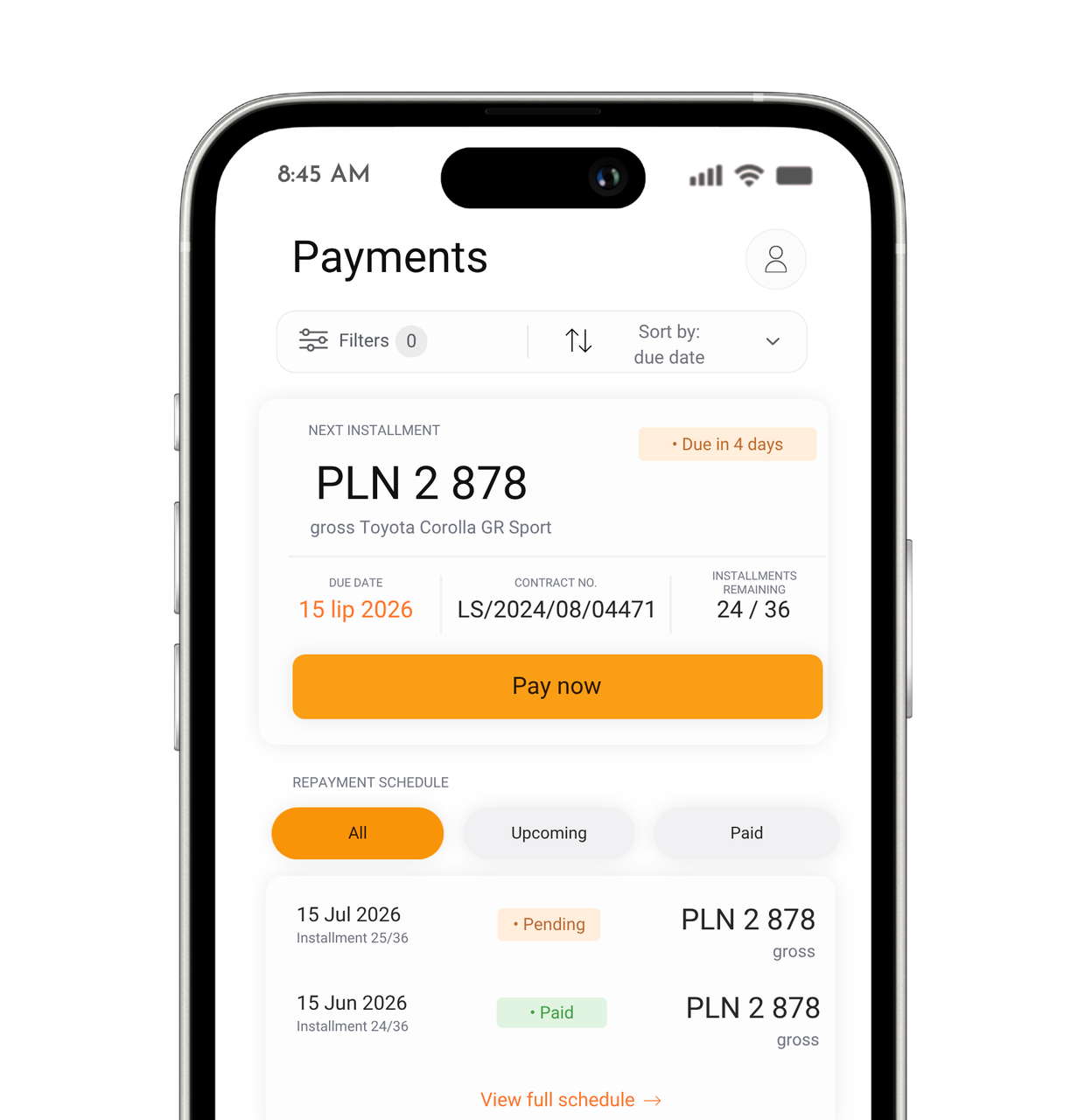
Payments screen with installment schedule

Payments

Installments can be paid directly from the application. The repayment schedule, transaction history, and statements are available at any time. Invoices can be downloaded as PDFs without logging into a separate portal.

Companies value the connection with their own accounting the most – documents exported in JPK format go straight to popular ERP systems, so no one has to re-enter data manually. It is this feature that most often convinces business clients to use the application for good.

Service

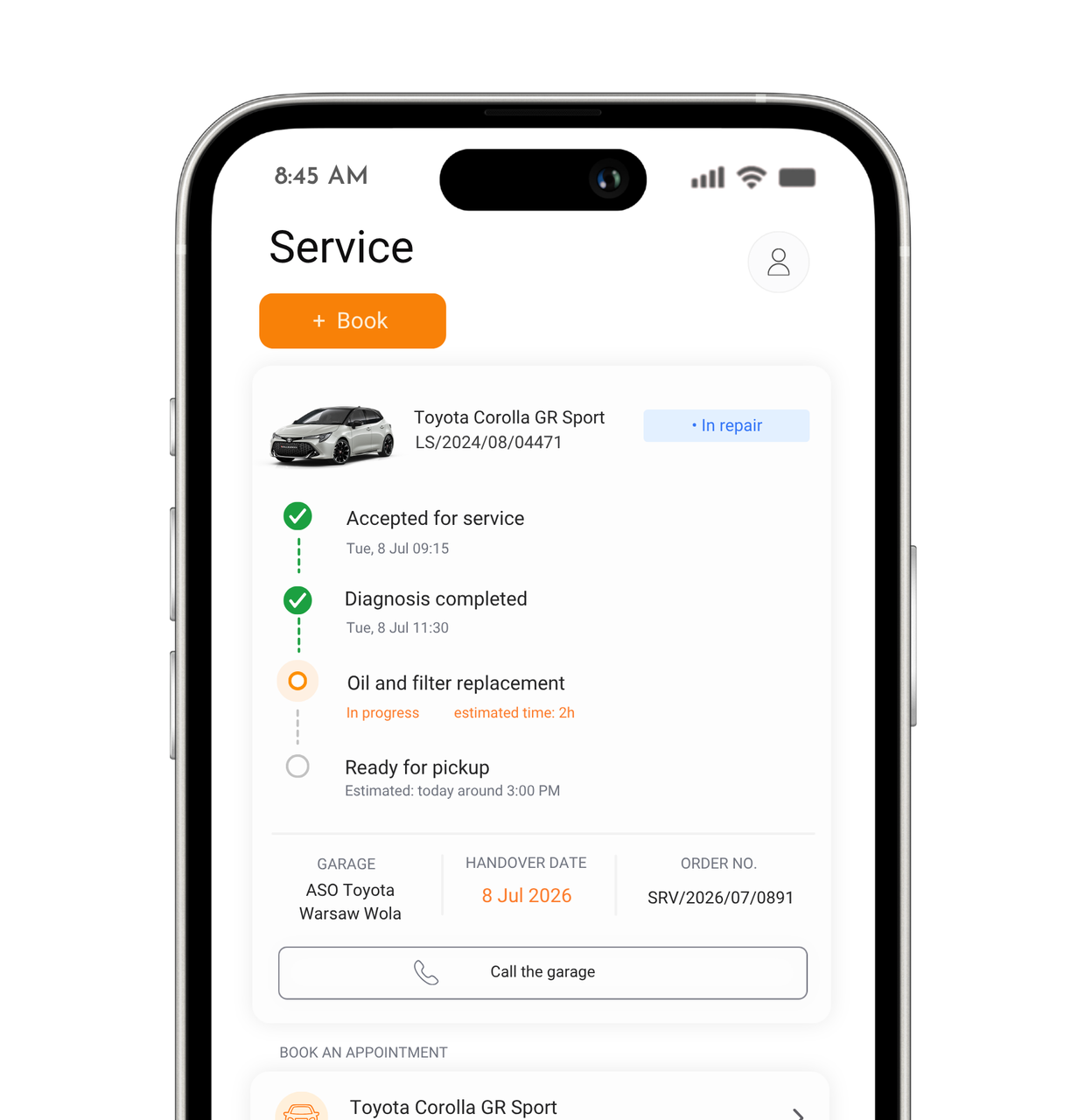
An appointment at an authorized workshop from the partner network can be booked right from the application – tire replacement is ordered there too, without calling the service center. Once the asset is at the workshop, the application shows the repair progress in real time, so there is no need to call and ask whether it is ready.

The application shows the nearest service centers, workshops, EV chargers, and pickup points on a map. If something happens on the road, roadside assistance can be called with a single tap, with the location sent automatically. Reporting a theft works the same way.

Service screen with vehicle repair status
Fleet manager planning vehicle inspections in a hall
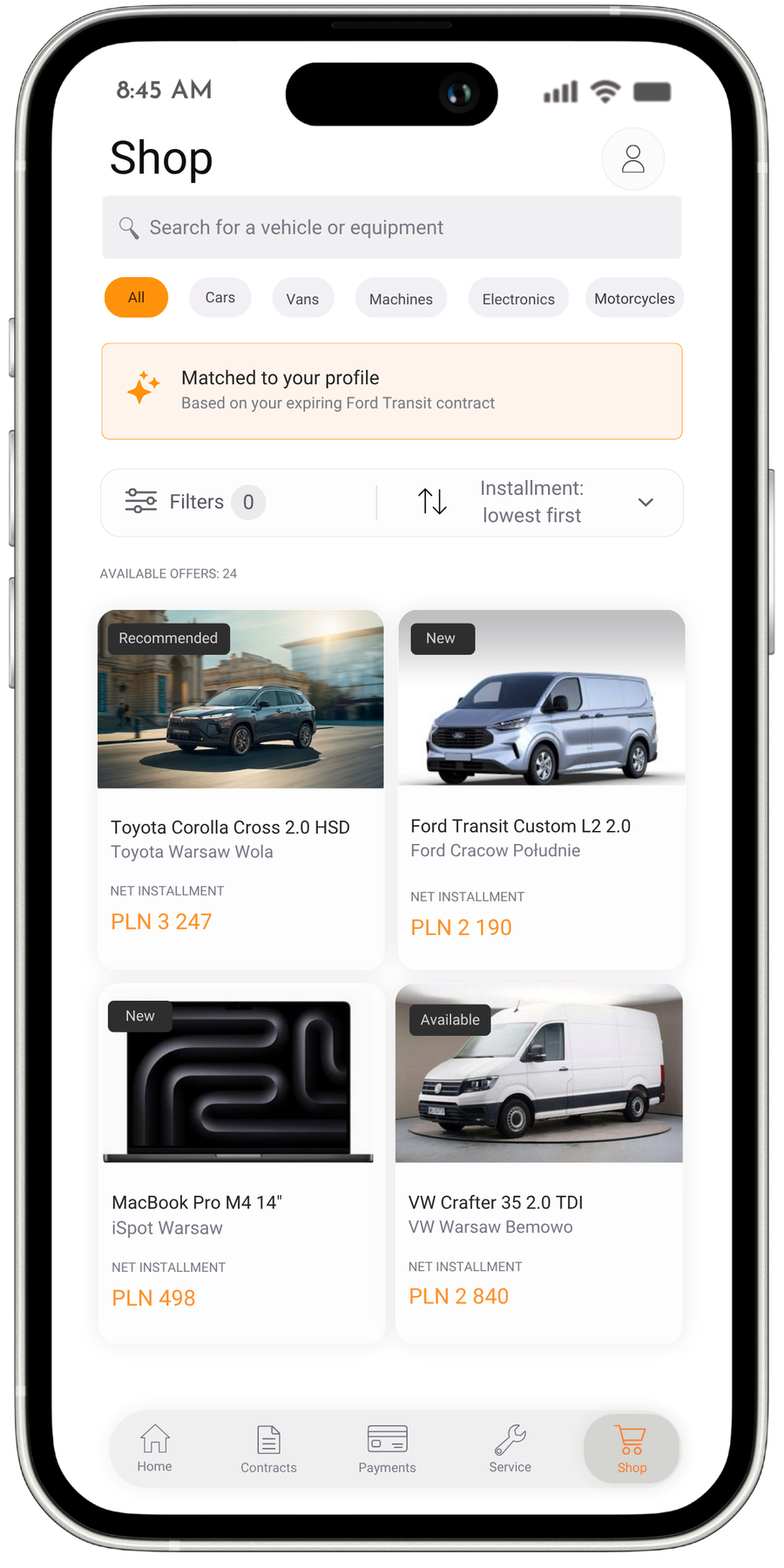
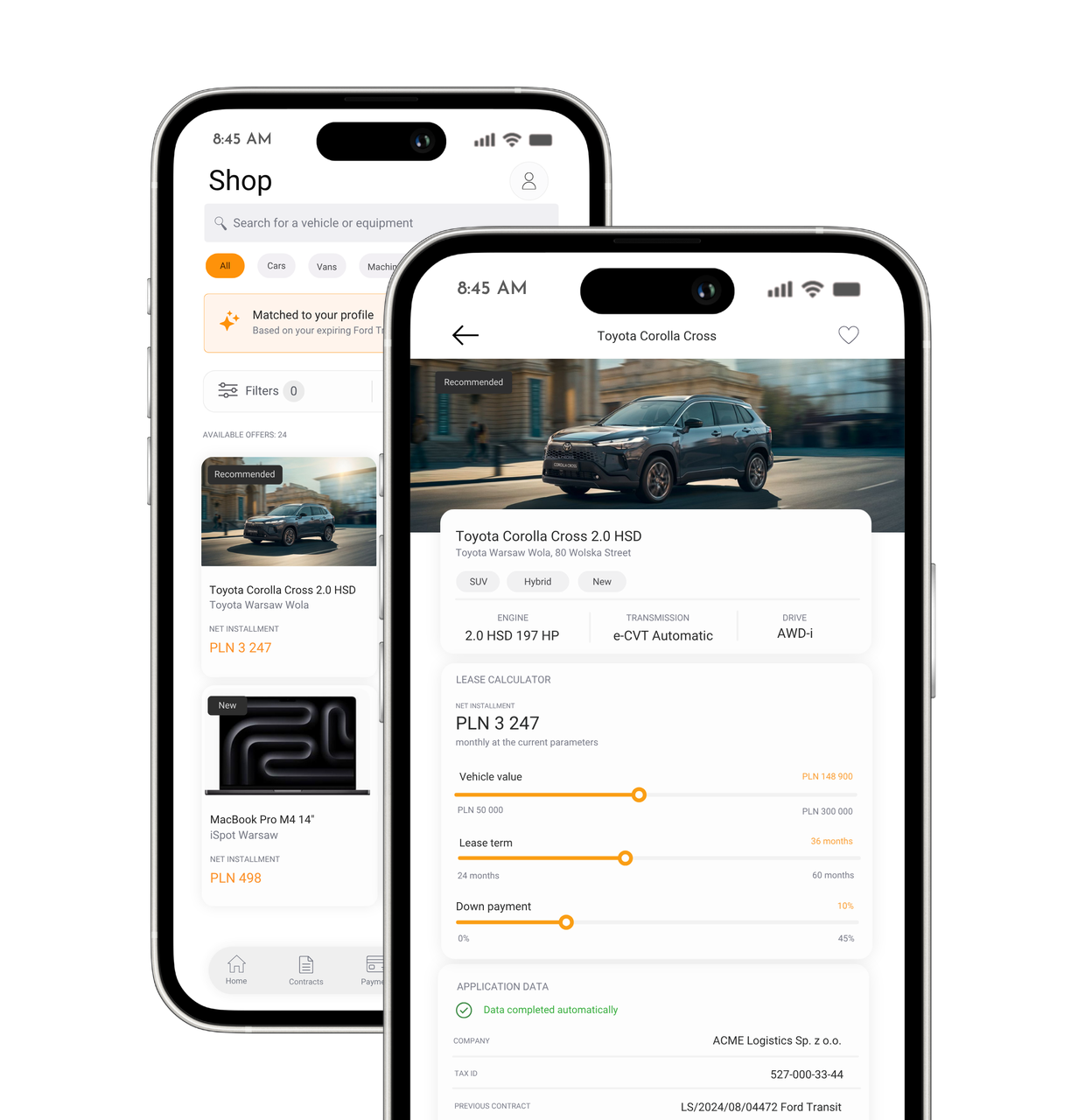
Shop and product card screens with a lease calculator

Shop

This is a feature that competing leasing applications do not have. When a contract enters its final months, the user immediately sees a proposal for the next asset – without looking for an offer elsewhere. They can filter the catalog of partners and dealers, recalculate the installment live for different parameters, and submit an application using a shortened form in which the company data fills in automatically based on the previous contract. Financing of the selected product is completed entirely within the application – without visiting an advisor and without logging into other systems.

The user sees the financing decision right away in the application, and product suggestions tailored to their history help them move faster from initial interest to signing the next contract. In this way, the lessor gains a self-sufficient sales channel for further contracts, without involving an advisor.

Profile and support

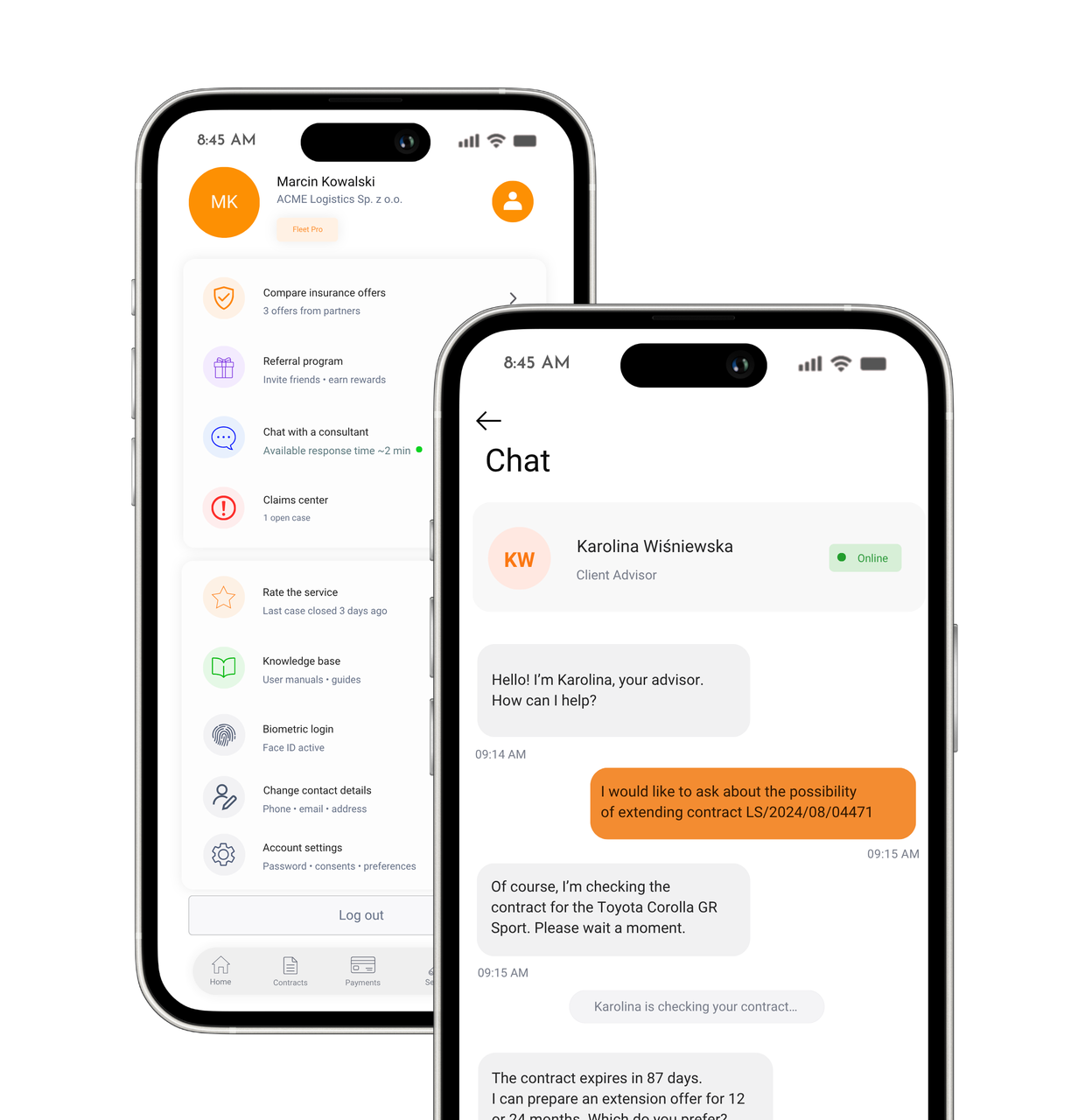
The Profile tab is the backbone of everyday application use: account settings, contact details, and all support tools gathered in one place.

Claims are submitted and tracked in one place, without sending emails or asking about their status by phone. A knowledge base with user manuals for the financed asset reduces the number of routine inquiries to the account manager. Insurance offers from the lessor’s partners can be compared without leaving the application for external services. Biometric login or a PIN unlocks the application in a second, without passwords and without unnecessary barriers in everyday use.

A consultant or chatbot can be contacted right in the application – without switching to the phone, email, or another portal. A contract inquiry, a document request, or a complaint goes to the same place where the user manages the lease every day, and the person handling it immediately sees the full context of the matter.

User profile and advisor chat screens
Leasing App x Norbsoft
0
Keep scrolling👌

Take advantage of a free consultation for your project

Schedule a consultation